Getting Started with OnShape
OnShape is a software built by the extremely reputable CAD company PTC. It is meant to be easy to get involved in, and can run on everthing from macs to desktops to chromebooks and phones. It is a well featured product that has an easy learning curve so beginners can get involved right away!
OnShape is not the most famous CAD software but is well used in the industry, used by companies like NVIDIA and Trek.
Create an account
Go to https://onshape.com/ and click "Create a Student Account". Have a coach or captain create an educator account to administer your team on OnShape. You should set up a student account. Once you have created your account and logged in, you should be on a page that looks like this:
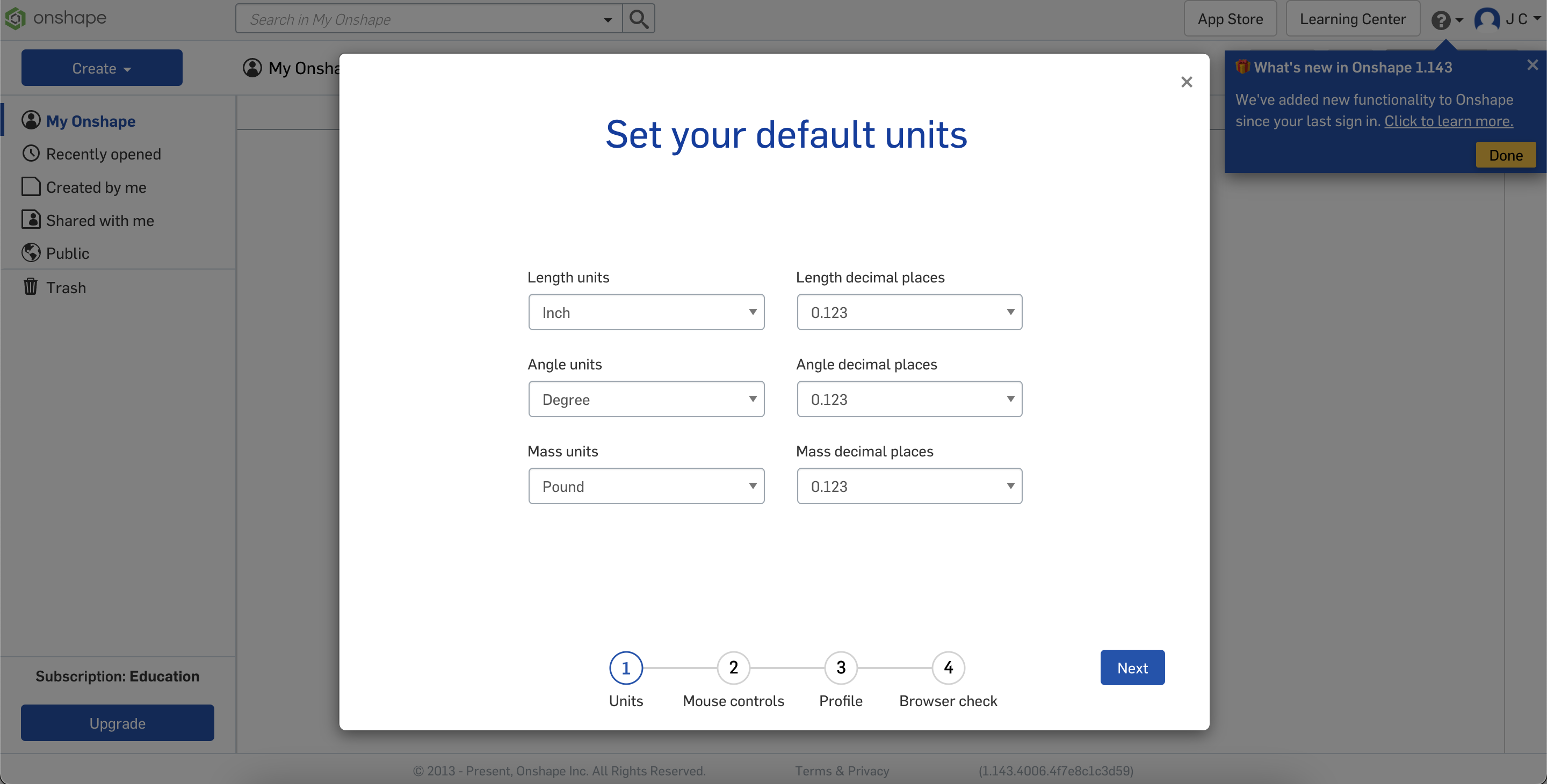
You can accept the default units, they are easy to change. You will next be prompted to choose your mouse configuration. I suggest you go with the defaults, but if you are experienced in another software, you can use the dropdown to select that instead. You can set your profile how you wish, and any modern browser will suffice.
Create a project
In the top-left of the page, you will see a blue "Create" button. Click the button, and in the dropdown select "Document". Give it a name, let's call it gb-to-15mm-adapter. Don't bother with any labels.
Our project will be an adapter that we can 3d print to adapt GoBilda's pattern to a REV hex shaft.
Our next step is to gather information.